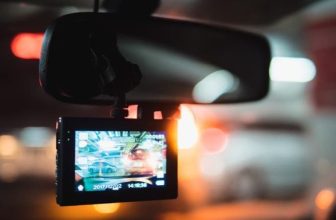
Hardwiring connects your dashcam directly to the car’s fuse box, so the cables disappear behind the trim and the camera can keep recording in parking mode. It sounds technical, but with the right kit and a circuit tester it is a one- to two-hour job for most cars. This guide walks through it step by step.
Route the cable from the camera along the headliner and down the A-pillar to the fuse box, find one constant (always-on) fuse and one ignition-switched fuse with a circuit tester, connect the hardwire kit through add-a-fuse taps, attach the earth wire to bare metal, set the low-voltage cut-off and test parking mode before refitting the trim.
What you need
- Hardwire kit for your dashcam, ideally the brand’s own, with a low-voltage cut-off
- Add-a-fuse taps in the fuse size your car uses (standard, mini, low-profile mini or micro)
- A circuit tester or multimeter to identify constant and switched fuses
- Plastic trim tools to lift trim without scratching it
- Cable ties and fabric tape to secure the cable and stop rattles
- Spare fuses of the ratings your kit specifies
Step 1: plan the cable route
Find your interior fuse box in the owner’s manual; in most cars it is at the end of the dashboard, under the steering column or behind the glovebox. The cable runs from the camera along the edge of the headliner, down the passenger-side A-pillar (away from your feet), under the dashboard to the fuse box.
Check whether your A-pillar contains a side curtain airbag; most modern cars do. The cable must run behind the airbag, along the existing wiring loom, never across the front of it, so the airbag can deploy freely.
Step 2: mount the camera and route the cable
- Mount the camera behind the rear-view mirror and connect the hardwire cable.
- Tuck the cable into the gap between the headliner and the windscreen, working towards the passenger-side pillar.
- Gently pull back the door seal and the A-pillar trim, and run the cable down alongside the existing loom, behind the airbag. Secure it with cable ties.
- Continue under the dashboard to the fuse box, keeping the cable away from pedals and moving parts.
- For a rear camera, run its cable along the headliner to the back of the car and through the rubber boot to the tailgate on SUVs and hatchbacks.
Step 3: find a constant and a switched fuse
Parking mode needs two feeds: a constant fuse that is live all the time, and an ACC fuse that is live only when the ignition is on. The camera uses the switch between them to know when the car is parked.
- Clip the tester’s earth lead to bare metal.
- With the ignition off, probe the test points on each fuse. Fuses that light up are constant.
- Turn the ignition on and probe again. Fuses that light up now but did not before are switched (ACC).
- Choose fuses for non-safety circuits, such as the 12 V socket, radio or interior lights. Avoid airbag, ABS, engine and steering fuses.
Step 4: connect and earth the kit
- Put the original fuse and the kit’s fuse into the fuse tap in the slots your kit’s instructions specify.
- Crimp the kit’s constant wire (usually yellow, BATT+) to the tap on the constant fuse, and the ACC wire (usually red) to the tap on the switched fuse.
- Fit the taps into the fuse slots you identified.
- Attach the earth wire (black) under a bolt that touches bare metal on the car’s body; painted panels and plastic will not work.
- Tidy the spare cable with cable ties where it cannot rattle or get caught.
Step 5: set the cut-off and test
- Turn on the ignition: the camera should start and record.
- Set the low-voltage cut-off on the kit or in the app. 12.0 V suits most healthy batteries; use a higher setting if your battery is old or you park for days.
- Switch the engine off and confirm the camera enters parking mode.
- Tap the car gently or walk past it to check that an event clip is saved.
- Refit the trim and door seal, and check that nothing rattles.
When to call an installer
Stop and get professional help if you cannot identify the fuses with confidence, your car has a fuse box behind panels that are hard to remove, the A-pillar trim does not come away easily, or the car is under warranty and you want a record of the work. Our guide to dashcam installation in the UAE covers what to ask an installer.
Dashcams with buffered parking mode
Our highest-scoring models with buffered parking, updated automatically from our reviews

VIOFO A329S 3 Channel 4K Dashcam
AED1,899.99- 4K front, 2K fisheye cabin and 2K rear — STARVIS 2 on all three cameras: IMX678 up front, IMX675 for cabin and rear.
- 210° fisheye cabin camera — covers the whole cabin with no blind spots, ideal for rideshare and family driving.
- Supercapacitor, rated −20°C to 65°C — no lithium battery to degrade in a parked car through the UAE summer.
- Energy-saving parking mode — low-power collision detection starts recording on impact; needs the VIOFO HK4 or HK6 hardwire kit (sold separately).
- Wi-Fi 6 and external SSD up to 4 TB — a 1-minute 4K clip reaches your phone in under 10 seconds; storage not included.

Vantrue N4 Pro 3 Channel 4K Dashcam
AED1,399.00- 4K front, 1080p cabin and 1080p rear — STARVIS 2 IMX678 up front with 4K HDR for readable plates day and night.
- IR cabin camera — F1.8 lens with 4 infrared LEDs records passengers clearly even in total darkness.
- Buffered parking mode — saves 10 seconds before and 30 seconds after motion; needs a hardwire kit, sold separately.
- Dual capacitors, no battery — built for extreme heat; rated −20°C to 65°C.
- 12 voice commands, 5 GHz Wi-Fi and GPS — control it hands-free and download clips in the Vantrue app.

BlackVue Elite 10 2 Channel 4K Dashcam
AED2,418.52- True 4K front and rear — both cameras record 4K at 30fps on Sony STARVIS 2 sensors, with HDR on the front camera.
- Power-saving parking mode under 1 mA — wakes in 0.89 seconds when something happens; needs the hardwiring cable, which is included.
- Supercapacitor, rated −20°C to 65°C — with high-temperature shut-off to protect the camera and its files.
- Boots in under 1 second — starts recording almost as soon as the ignition is on, even from a cold start.
- Built-in GPS, Wi-Fi and BlackVue app — with 5 GB of free cloud storage and support for cards up to 1 TB.

THINKWARE U3000 Pro 2 Channel 4K Dashcam
AED2,223.09- 4K front + 2K rear on dual STARVIS 2 sensors — Sony IMX678 and IMX675 with Super Night Vision 4.0 for readable plates and signs day and night.
- Built-in front and rear radar parking mode — low-power radar wakes the camera on movement and saves a 20-second clip; needs hardwiring or the OBD-II cable.
- Supercapacitor, rated −10°C to 60°C — no lithium battery to degrade in a parked car through the UAE summer.
- Dual-band Wi-Fi and GPS — pair with the Dash Cam Link app over 2.4 or 5 GHz; speed and location are tagged on every clip.
- Front collision and lane departure warnings — plus safety camera alerts from the built-in GPS.