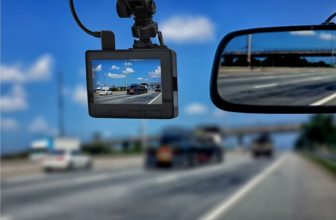
Teslas come with a built-in dashcam and Sentry Mode, and more electric cars arrive with cameras of their own. So do EV owners in the UAE still need a separate dashcam? Often yes, but for different reasons than in a petrol car. This guide compares Tesla’s built-in recording with a dedicated dashcam, explains how the UAE heat affects both, and covers powering a dashcam in an EV without draining the battery.
Tesla’s Dashcam and Sentry Mode are useful but limited: no audio, four of the car’s cameras, footage stored on a USB drive, and Sentry Mode draws around 250 to 300 W, which adds up in long UAE parking stays. A dedicated dashcam adds a sharper front camera, low-power parking mode and easier evidence export. Many owners use both.
What Tesla’s built-in Dashcam and Sentry Mode record
- Cameras: four of the car’s cameras record: the forward-facing camera, the camera on each side and the rear camera. The cabin camera does not record.
- Audio: none.
- Storage: a USB drive in the glovebox or centre console, at least 64 GB; the oldest recordings are overwritten when it is full.
- Sentry Mode: watches the car while parked and saves footage when it detects a threat.
- Power: Sentry Mode typically draws around 250 to 300 W, which can mean several percent of battery a day, and it switches itself off when the battery reaches 20%.
That is a strong feature set for a car that needs no extra hardware, and it covers the sides of the car, which most dashcams do not.
Tesla’s cameras vs a dedicated dashcam
| Tesla Dashcam and Sentry | Dedicated dashcam | |
|---|---|---|
| Coverage | Front, both sides, rear | Front, plus rear and cabin on 2- and 3-channel models |
| Front video detail | Cameras designed for driver assistance | Up to 4K on an 8 MP sensor, best for reading plates |
| Audio | No | Yes, can be switched off |
| Parking power use | Around 250 to 300 W | A few watts, or under 1 mA on some models in low-power modes |
| GPS speed and location in the clip | Depends on software version | Built in on most mid-range models |
| Getting clips off | Remove the USB drive or view on the car’s screen | Phone app over Wi-Fi, or the memory card |
| Extra cost | None beyond a USB drive | The camera and installation |
The UAE heat factor
In summer, a parked EV may be running Cabin Overheat Protection and Sentry Mode at the same time, and both use battery. Over a long day at the airport or a week away, that can mean noticeably less range when you return, and Sentry stops altogether at 20%.
A dedicated dashcam in a low-power parking mode uses a tiny fraction of that. Choose a supercapacitor model rated for high temperatures, because it sits in the same hot cabin whether or not the car’s climate system runs.
Powering a dashcam in an electric car
- USB ports: the simplest option for driving-only recording. Whether a port stays powered when the car sleeps depends on the model and settings.
- Hardwire kit: possible on most EVs, but some use a lithium low-voltage battery or a 12 V system that behaves differently from a conventional car battery. Use a kit the dashcam maker confirms for your car.
- External battery pack: the safest choice for long parking-mode use. It charges while you drive and never touches the car’s low-voltage system. Choose a LiFePO4 pack for heat tolerance.
Our hardwiring guide covers the general steps, and our parking mode guide explains the power options in detail.
Fitting a dashcam in a Tesla or other EV
- Mount the camera beside or below the windscreen camera housing, keeping clear of the car’s own cameras and sensors.
- Check that the camera’s view is not blocked by the dotted shade band on the glass.
- Many EVs have heat-reflective or acoustic windscreens; if GPS struggles, see our GPS guide.
- Route cables along existing trim rather than through the large glass roofs common on EVs.
Other electric cars with built-in cameras
A growing number of new cars, including several EV brands sold in the UAE, offer a factory dashcam or a recorder that uses the surround-view cameras. Before relying on one, check how sharp the front video is, whether it records while parked, how much battery that uses, and how you get clips off the car to give to the police or your insurer.
Low-power dashcams for EV owners
Our highest-scoring supercapacitor dashcams with buffered parking, updated automatically

VIOFO A329S 3 Channel 4K Dashcam
AED1,899.99- 4K front, 2K fisheye cabin and 2K rear — STARVIS 2 on all three cameras: IMX678 up front, IMX675 for cabin and rear.
- 210° fisheye cabin camera — covers the whole cabin with no blind spots, ideal for rideshare and family driving.
- Supercapacitor, rated −20°C to 65°C — no lithium battery to degrade in a parked car through the UAE summer.
- Energy-saving parking mode — low-power collision detection starts recording on impact; needs the VIOFO HK4 or HK6 hardwire kit (sold separately).
- Wi-Fi 6 and external SSD up to 4 TB — a 1-minute 4K clip reaches your phone in under 10 seconds; storage not included.

Vantrue N4 Pro 3 Channel 4K Dashcam
AED1,399.00- 4K front, 1080p cabin and 1080p rear — STARVIS 2 IMX678 up front with 4K HDR for readable plates day and night.
- IR cabin camera — F1.8 lens with 4 infrared LEDs records passengers clearly even in total darkness.
- Buffered parking mode — saves 10 seconds before and 30 seconds after motion; needs a hardwire kit, sold separately.
- Dual capacitors, no battery — built for extreme heat; rated −20°C to 65°C.
- 12 voice commands, 5 GHz Wi-Fi and GPS — control it hands-free and download clips in the Vantrue app.

BlackVue Elite 10 2 Channel 4K Dashcam
AED2,418.52- True 4K front and rear — both cameras record 4K at 30fps on Sony STARVIS 2 sensors, with HDR on the front camera.
- Power-saving parking mode under 1 mA — wakes in 0.89 seconds when something happens; needs the hardwiring cable, which is included.
- Supercapacitor, rated −20°C to 65°C — with high-temperature shut-off to protect the camera and its files.
- Boots in under 1 second — starts recording almost as soon as the ignition is on, even from a cold start.
- Built-in GPS, Wi-Fi and BlackVue app — with 5 GB of free cloud storage and support for cards up to 1 TB.

THINKWARE U3000 Pro 2 Channel 4K Dashcam
AED2,223.09- 4K front + 2K rear on dual STARVIS 2 sensors — Sony IMX678 and IMX675 with Super Night Vision 4.0 for readable plates and signs day and night.
- Built-in front and rear radar parking mode — low-power radar wakes the camera on movement and saves a 20-second clip; needs hardwiring or the OBD-II cable.
- Supercapacitor, rated −10°C to 60°C — no lithium battery to degrade in a parked car through the UAE summer.
- Dual-band Wi-Fi and GPS — pair with the Dash Cam Link app over 2.4 or 5 GHz; speed and location are tagged on every clip.
- Front collision and lane departure warnings — plus safety camera alerts from the built-in GPS.